

This is a Portkey Enterprise plan feature.
Overview
Logs Management in Portkey enables Organization and Workspace adminis to control who can access logs and log metadata within workspaces. This feature provides granular permissions to protect sensitive information while enabling appropriate visibility for team members.Accessing Logs Management
- Navigate to Admin Settings in the Portkey dashboard
- Select the Security tab from the left sidebar
- Locate the Logs Management section
Permission Settings
The Logs Management section provides four distinct permission options: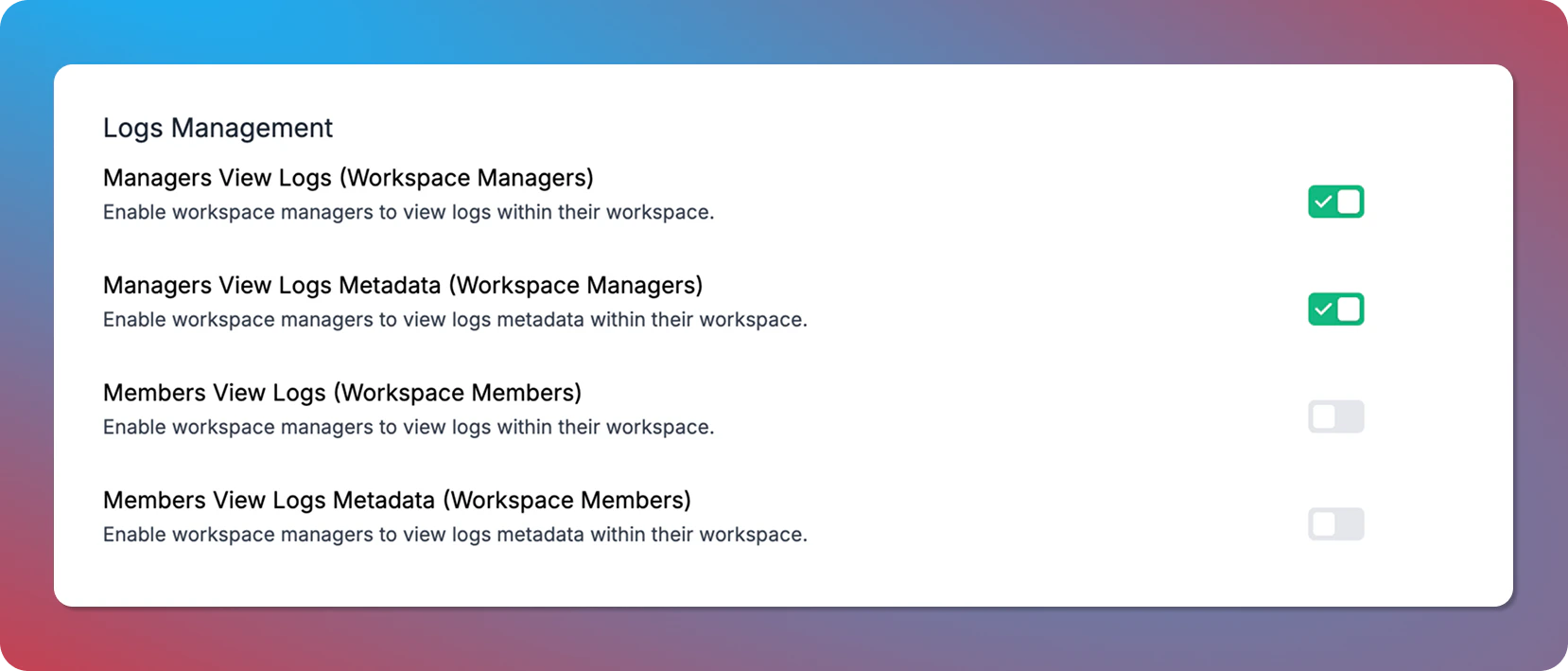
Logs Management settings
Logs vs. Logs Metadata
- Logs: Complete log entries including request and response payloads
- Logs Metadata: Information such as timestamps, model used, tokens consumed, and other metrics without the actual content
Related Features
Access Control Management
Learn about Portkey’s access control features including user roles and organization hierarchy
Logs Export
Export logs for longer-term storage or analysis